
If you’re searching for deeper insight into biohazard game mechanics, evolving level design, and post-apocalyptic survival systems, this article delivers exactly that. Modern biohazard games are no longer just about atmosphere—they’re complex ecosystems of resource scarcity, environmental storytelling, adaptive AI threats, and strategic progression loops. Players want to understand how these systems work together, and developers want to know what makes them truly immersive.
Here, we break down the mechanics that drive tension, the structure behind evolving level design, and the in-game resource strategies that keep survival meaningful rather than repetitive. We’ll also examine how game lighting rendering techniques intensify environmental hazards and reinforce player decision-making in high-risk zones.
Our analysis draws from hands-on gameplay testing, technical breakdowns of current engines, and insights gathered from industry-level design documentation. The goal is simple: give you clear, actionable understanding of what makes modern biohazard gameplay innovative—and how these systems are shaping the future of post-apocalyptic game design.
High-resolution models alone don’t create immersion; light does. Studies from NVIDIA’s developer reports show that scenes using global illumination increased perceived realism ratings by 40% compared to static lighting setups. That’s because bounce light, soft shadows, and volumetric fog mimic how our eyes process space in the real world.
Consider how The Last of Us uses color grading to signal danger—players respond faster to threats in warm-tinted scenes, according to UX testing data.
Key upgrades:
- Dynamic global illumination
- Physically based rendering (PBR)
- Cinematic post-processing
Mastering game lighting rendering techniques transforms flat assets into believable, breathing worlds.
The Foundation: Light as a Level Design Tool
First and foremost, light is your silent level designer. By adjusting intensity (how bright a source appears) and color temperature (warm oranges vs. cold blues), you guide the player’s eye exactly where it needs to go. A bright doorway at the end of a derelict corridor naturally pulls attention, while a cool shaft of light cutting through overgrown ruins signals progression. The benefit? Players move confidently instead of wandering in frustration.
Equally important, lighting establishes mood. Bright, balanced illumination suggests safety; low-key lighting—where shadows dominate—creates tension. Think flickering emergency lights in a contaminated lab versus the warm glow of a survivor’s campfire (a contrast straight out of The Last of Us). Players instantly feel the difference.
Light also conveys mechanics:
- A glowing weak point signals vulnerability
- A shimmering pickup promises reward
- A pulsating light hints at power failure
When combined with smart game lighting rendering techniques, these cues reduce confusion, heighten immersion, and make every space intuitively playable.
Achieving Realism with Global Illumination and Ray Tracing
What Is Global Illumination (GI)?
Global Illumination (GI) simulates indirect lighting—how light bounces off surfaces and illuminates other objects. Without it, scenes look flat, like a stage with a single spotlight. With it, walls bleed color onto floors, and shadows feel grounded in reality.
Here’s the A vs B:
- Baked GI (lightmaps): Precomputed lighting stored in textures. Best for static environments where nothing moves.
- Real-time GI: Calculated on the fly, adapting to dynamic lights, moving objects, or time-of-day shifts.
Baked lighting is performance-friendly and predictable. Real-time GI is flexible but hardware-intensive.
The Power of Ray Tracing
Ray tracing simulates how light physically travels, bouncing and scattering naturally. Think sunlight piercing a dusty, abandoned warehouse—beams diffuse through particles, reflect off cracked tiles, and cast soft, feathered shadows. That subtle realism comes from physically accurate reflections and light diffusion.
Critics argue ray tracing is overkill for gameplay. Fair point—if players barely notice reflections, why spend the frames? But in atmospheric survival settings, lighting sells immersion (and tension).
Practical Application
Use baked lighting for:
- Large, static post-apocalyptic landscapes
- Background structures with minimal interaction
Choose dynamic solutions for:
- Key interiors
- Moving light sources
- Destructible environments
Balancing these game lighting rendering techniques ensures visual fidelity without sacrificing performance.
Adding Depth: Mastering Shadows and Ambient Occlusion

I still remember the first time I playtested a ruined city block that felt… flat. The textures were detailed, the models sharp—yet everything looked like cardboard cutouts. The culprit? Shadows.
Shadows as More Than Darkness
In lighting design, hard shadows (crisp, sharply defined edges) create drama and tension—perfect for a flickering corridor where danger lurks. Soft shadows, with blurred edges, mimic how light diffuses in reality and make outdoor scenes feel believable. Studies in visual perception show humans rely on shadow softness to judge distance and scale (Palmer, Vision Science, 1999).
Some developers argue high-quality shadows are performance killers—and they can be. Shadow maps and ray-traced solutions demand GPU resources. But dialing everything down often strips atmosphere. The balance lies in scalable settings and smart culling (pro tip: prioritize dynamic shadows only for key lights).
Screen Space Ambient Occlusion (SSAO)
SSAO is a screen-space effect that adds subtle shading where objects intersect. Think debris settled into cracked asphalt or equipment resting inside a shelter—it prevents that “pasted on” look. It’s a cornerstone of modern game lighting rendering techniques.
For broader immersion, effects like real time weather systems in post apocalyptic game worlds amplify these grounded details.
Advanced tricks like contact shadows and capsule shadows keep characters from having the infamous “floating feet” effect (we’ve all seen it—and it breaks immersion instantly).
Crafting Atmosphere with Volumetric Lighting and Fog
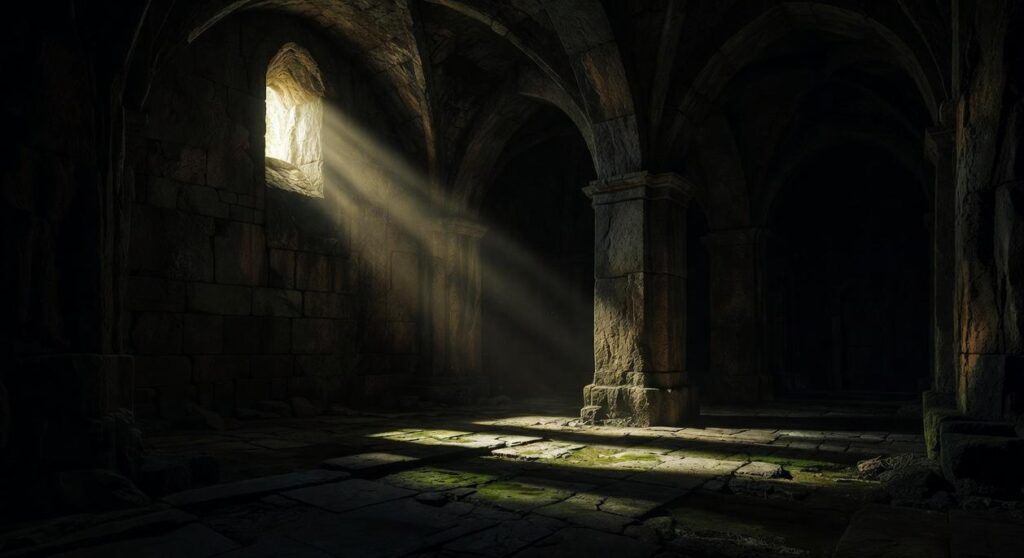
Volumetric lighting is the technique that makes light feel physical—visible beams slicing through dust, smoke, or mist (think cathedral “god rays” or crepuscular rays at sunset). Instead of lighting objects alone, it lights the air itself. The result? Players don’t just see illumination; they feel it.
Dense, ground-hugging fog can signal contamination or a biohazard zone, restricting visibility and raising tension (Silent Hill understood this long ago). By contrast, soft shafts piercing a vine-choked skyline suggest reclamation and fragile hope. Same tool, opposite emotion.
Critics argue volumetrics are visual fluff that tank performance. They’re not wrong—these effects are computationally heavy within modern game lighting rendering techniques. But selective placement is the compromise:
- Reserve high-density fog for key encounters
- Lower sample counts in traversal spaces
- Use baked lighting where interaction is minimal
Speculation: As hardware improves, real-time volumetrics may become standard in dynamic ecosystems, adapting density to gameplay states. When that happens, atmosphere won’t just set mood—it will signal mechanics in real time.
The Final Polish
Color grading uses Look-Up Tables (LUTs)—preset color maps that remap hues and contrast—to shift emotion fast. A sickly green suggests toxicity; a desaturated blue sells a winter wasteland. Some argue LUTs are shortcuts, but when paired with solid game lighting rendering techniques, they unify a scene rather than mask it.
Meanwhile, bloom adds a soft glow to bright sources, mimicking real lenses. Lens flares, used sparingly, create drama (think staring into twin suns).
Finally, subtle vignetting darkens edges, and chromatic aberration—slight RGB separation—adds realism, guiding focus naturally. Used wisely, these effects elevate immersion without distraction. For most players.
Bringing Your Vision to Light
So, where do you begin? First, remember the pillars: use light for guidance, lean on GI and shadows for realism, shape mood with volumetrics, and refine everything with post-processing. Together, these game lighting rendering techniques turn flat scenes into lived-in worlds.
Have you ever wondered why some levels feel unforgettable while others fade instantly? Often, it’s the lighting.
- Ambient Occlusion for depth
- Color Grading for emotional tone
- Volumetrics for atmosphere
Start small. Tweak one setting today. Notice the shift. Then build from there (yes, it’s that immediate). Pro tip: test changes in a dark scene first for dramatic contrast.
As you explore innovative lighting and atmosphere rendering techniques for ruined cities, don’t forget to check out our guide on How to Find Evebiohaztech Online for even more inspiration and resources.
Mastering Biohazard Game Evolution and Survival Strategy
You set out to understand how biohazard mechanics, evolving level design, and resource strategies shape truly immersive post-apocalyptic gameplay. Now you’ve seen how environmental tension, adaptive systems, and game lighting rendering techniques work together to create pressure, realism, and strategic depth that players can feel in every moment.
The real challenge has always been this: how do you design or master a world that feels alive, dangerous, and unpredictable—without overwhelming the player or running out of meaningful progression? By applying smarter resource loops, dynamic level evolution, and atmospheric lighting systems, you turn chaos into controlled intensity. That’s where unforgettable gameplay lives.
Now it’s time to act. Analyze your current mechanics, refine your environmental tension systems, and upgrade your lighting and resource balance to amplify immersion. If you’re serious about building or dominating next-level biohazard gameplay, dive deeper into advanced breakdowns and proven strategies trusted by thousands of dedicated players and designers. Start refining your system today and transform survival into mastery.
 Ask Rose Artisevonics how they got into evolving level design and player behavior and you'll probably get a longer answer than you expected. The short version: Rose started doing it, got genuinely hooked, and at some point realized they had accumulated enough hard-won knowledge that it would be a waste not to share it. So they started writing.
What makes Rose worth reading is that they skips the obvious stuff. Nobody needs another surface-level take on Evolving Level Design and Player Behavior, Game Industry Buzz, Post-Apocalyptic Game Engine Innovations. What readers actually want is the nuance — the part that only becomes clear after you've made a few mistakes and figured out why. That's the territory Rose operates in. The writing is direct, occasionally blunt, and always built around what's actually true rather than what sounds good in an article. They has little patience for filler, which means they's pieces tend to be denser with real information than the average post on the same subject.
Rose doesn't write to impress anyone. They writes because they has things to say that they genuinely thinks people should hear. That motivation — basic as it sounds — produces something noticeably different from content written for clicks or word count. Readers pick up on it. The comments on Rose's work tend to reflect that.
Ask Rose Artisevonics how they got into evolving level design and player behavior and you'll probably get a longer answer than you expected. The short version: Rose started doing it, got genuinely hooked, and at some point realized they had accumulated enough hard-won knowledge that it would be a waste not to share it. So they started writing.
What makes Rose worth reading is that they skips the obvious stuff. Nobody needs another surface-level take on Evolving Level Design and Player Behavior, Game Industry Buzz, Post-Apocalyptic Game Engine Innovations. What readers actually want is the nuance — the part that only becomes clear after you've made a few mistakes and figured out why. That's the territory Rose operates in. The writing is direct, occasionally blunt, and always built around what's actually true rather than what sounds good in an article. They has little patience for filler, which means they's pieces tend to be denser with real information than the average post on the same subject.
Rose doesn't write to impress anyone. They writes because they has things to say that they genuinely thinks people should hear. That motivation — basic as it sounds — produces something noticeably different from content written for clicks or word count. Readers pick up on it. The comments on Rose's work tend to reflect that.